Your AI subscription
$0 extra
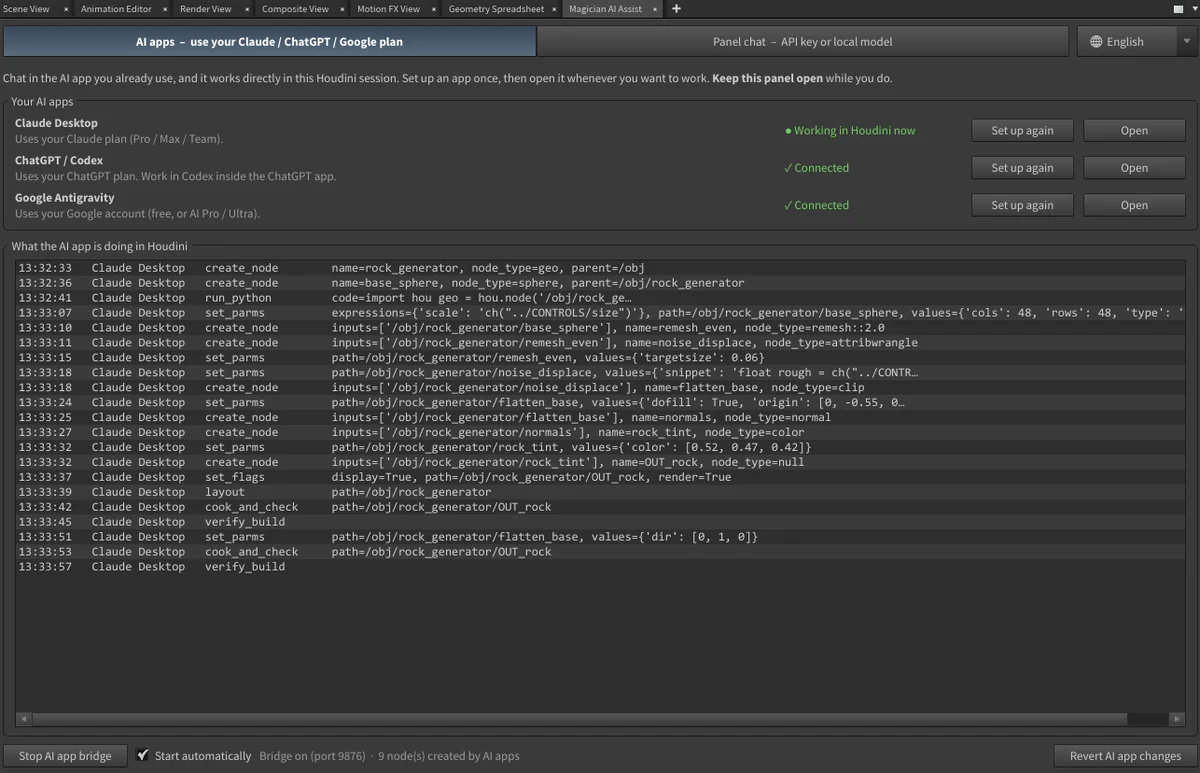
Chat in the AI app you already use, and it works directly in your live Houdini scene. Usage counts against your normal plan. No API keys, no per-token bills.
Claude DesktopChatGPT / CodexGoogle Antigravity
Magician AI Assist lets AI build node networks directly inside your Houdini scene. Use the AI you already pay for. Buy once, no subscription.
For Houdini 20.5, 21 and 22 on Windows · Claude, ChatGPT, Gemini or a free local model
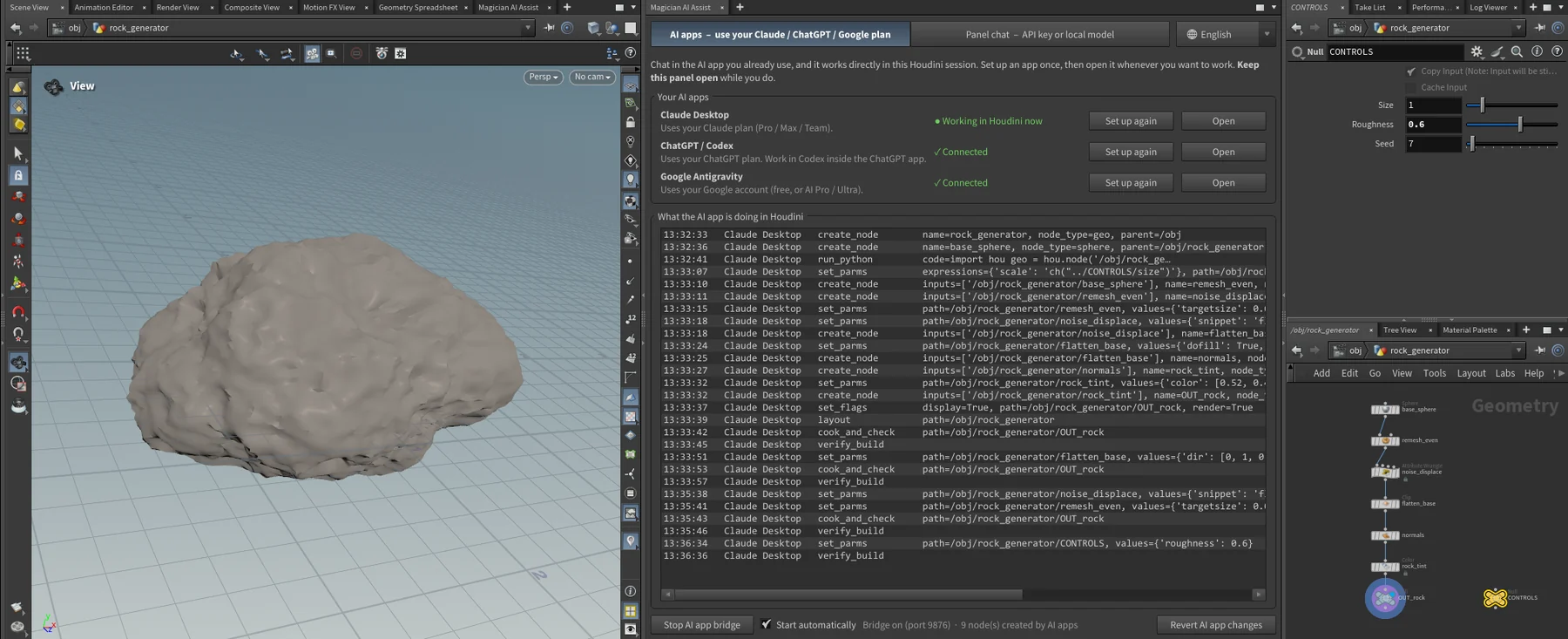
Most AI tools lock you into one provider and a monthly fee. Magician AI Assist works with the AI you already have.
Chat in the AI app you already use, and it works directly in your live Houdini scene. Usage counts against your normal plan. No API keys, no per-token bills.
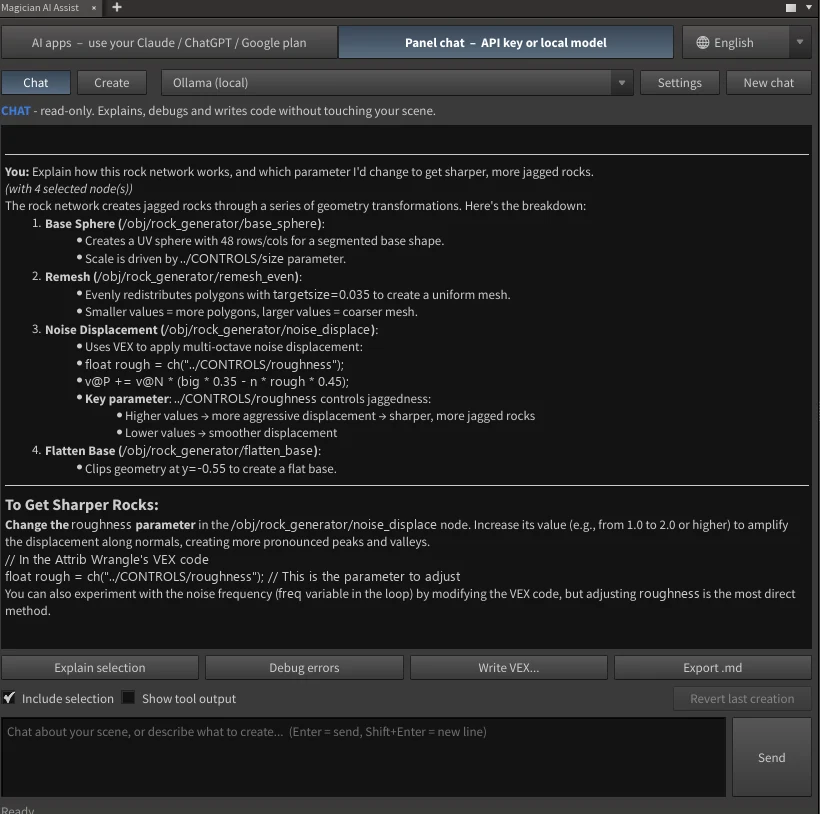
Chat right inside the Houdini panel and pay the provider per use. The model list loads live from your account.
Run a model on your own GPU with Ollama. Private, with nothing leaving your computer. Best for Chat mode: bigger cloud models are much stronger at building.
It reads your actual scene: the nodes, parameters, errors and geometry. Not a generic chatbot guessing at Houdini.
Explains what's going on without touching anything.
Plans, builds, cooks and checks its own work before reporting back.
Saves a backup .hip before Create mode starts. It never saves over your file.
Every action is its own undo step, and one click reverts the whole creation.
When it says it's done, it re-cooks everything it made and fixes any errors it finds.
English, 简体中文, 한국어 and 日本語. The AI replies in your language too.
No account and no tracking. The AI app bridge only listens on your own PC.
Uses only Houdini's own Python. One installer finds every Houdini version you have.
Pay with PayPal or card. No account to create. Your order page opens straight away.
Download, unzip and run the installer. Then open the panel from Houdini's pane menu.
Copy the Machine ID from the panel, paste it on your order page, and paste back your key. Once, forever.
Click Set up next to your AI app, or add an API key. Then start describing.
One-time payment. No subscription, ever.
Secure checkout by PayPal. Pay with your PayPal account or a card. Sold by Tan Zi Jian.
Changing computers? Just email with your order reference and your license gets moved.
No. If you have Claude, ChatGPT or a Google account, click Set up next to that app in the panel and chat there. It uses your normal plan's allowance. API keys and local models are there if you prefer them.
Claude and the stronger OpenAI models are the most reliable in Create mode. Smaller and local models work well for Chat mode, but tend to guess parameter names or stop before a network is finished.
Only to the AI you choose, and only when you ask it something. Magician AI Assist has no account, no analytics, and never contacts our servers unless you choose to send a bug report. With a local model, nothing leaves your computer at all.
Create mode saves a backup .hip first, every action can be undone with Ctrl+Z, and "Revert last creation" removes everything it built and restores what it changed. It's told never to modify your own nodes unless you ask. Python edits it runs can't always be reverted automatically, which is what the backup is for.
One purchase activates one computer. The panel shows a Machine ID; paste it on your order page and you get a license key that works offline, permanently. There's no online check after that.
Email support@magicianaiassist.com with your order reference and your new Machine ID, and your license gets moved. Need it on two computers? Ask the same way.
Not yet. It's built and tested on Windows.
If it doesn't work on your setup within 14 days and we can't fix it together, you get a full refund. Refunds aren't given for a change of mind once a license key has been generated. Full terms.
Enter your purchase email on the support page and your order link is sent again.
No. Magician AI Assist is an independent tool made by Tan Zi Jian. Houdini is a trademark of SideFX, which isn't affiliated with this product.
Magician AI Assist is made by Tan Zi Jian, a VFX and 3D artist in Singapore who built it for his own Houdini work.
A lot of testing and tuning went into getting AI to build networks that actually cook, so you can skip straight to creating.
— Zi Jian